When I first started blogging for affiliate income, I thought an email list could wait. It couldn’t. So I spent months chasing more traffic while leaving commissions on the table, because most readers came once and never came back.
If you want to build an email list from a blog, you don’t need fancy tools or pushy pop-ups. You need a simple plan that turns the right readers into subscribers, then helps those subscribers feel ready to buy when you recommend something.
This post breaks it down into beginner-friendly steps, from what to offer, to where to place opt-ins, to what to email so people stay subscribed. The goal is steady growth you can control, even on days your traffic dips.
SEO Key Takeaways (quick wins to build an email list from a blog)
If you’re starting an affiliate blog, your email list is the part you own. Traffic comes and goes, rankings shift, and social posts disappear fast. I learned this the hard way early on, I focused on getting “more visitors” and ignored subscribers, which meant I lost time and missed commissions because most readers never returned.
These quick wins help you turn SEO traffic into email subscribers without adding complicated funnels or annoying your readers.
Target “subscribe-ready” keywords, not just high-traffic topics
A post can rank well and still build almost no list. The difference is search intent. Some searches attract readers who want a quick answer and leave. Others attract readers who are actively collecting resources and are happy to join your list to get them.
Focus your content plan on keywords that naturally match an opt-in.
Here’s what tends to convert well for list-building:
- Templates and swipe files: “affiliate email sequence template”, “blog post outline for affiliate reviews”
- Checklists and step-by-step posts: “how to start affiliate marketing checklist”, “how to set up an opt-in free”
- Comparisons and decision posts: “MailerLite vs ConvertKit for beginners”, “best keyword tools for new bloggers”
- Fix-my-problem searches: “why my blog gets traffic but no email sign-ups”, “how to write a lead magnet fast”
A simple rule: if the searcher is trying to do something (set up, write, choose, fix), you can offer a small download that saves them time.
Also, match the opt-in to the post topic. If your post is about writing product reviews, don’t offer a “7-day meal plan.” Offer a review template, a product research checklist, or a subject line pack for promo emails.
Quick on-page SEO win: include the benefit in your title or headings. For example, “Product Review Template (Free) + Simple Structure That Converts.” You’re helping the reader and making the opt-in feel like part of the content, not an interruption.
Add opt-ins where readers naturally say “I need this”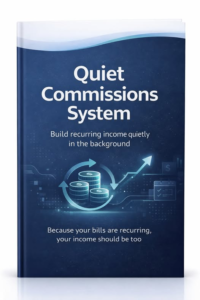
Most blogs hide the sign-up form in the sidebar or footer, then wonder why no one joins. Put your opt-in in the spots where the reader feels the most clarity, relief, or momentum.
Use these placements first (they work because they match reader behavior):
- After the first key section (not the first paragraph): they’ve gotten value, now they’re open to more.
- Mid-post “content upgrade” box: tied to the exact section they’re reading.
- Just before the conclusion: for readers who made it to the end and trust you.
- Inside high-intent posts: your “how-to,” “best tools,” and “comparison” posts often convert better than random updates.
Keep the form simple. Name and email is enough. Every extra field lowers sign-ups.
Make your call-to-action specific and concrete. Compare:
- Weak: “Join my newsletter”
- Strong: “Quiet Commissions System: Build recurring income quietly in the background”
If you use a pop-up, set it to show on scroll (like 50 to 70 percent) or exit intent. That way, it appears after the reader has had a fair chance to read. The goal is to earn attention first, then ask.
One more quick win: add an opt-in to your top-performing pages. Check your analytics, find the top 5 posts by traffic, and add a relevant content upgrade. This can boost subscribers without writing a single new post.
Make Google work harder for you with snippets, internal links, and a “next step”
SEO is not only about getting the click. It’s about what happens after the click. Your job is to guide the reader from “I found your post” to “I want your checklist.”
Start with snippet-friendly formatting so you pull the right readers:
- Use short paragraphs and clear subheads.
- Add a numbered list for processes (Google often likes these).
- Define key terms in one clean sentence.
Then, use internal links to keep readers moving. A reader who visits 2 to 3 pages is warmer than a reader who bounces. Add 2 to 4 internal links per post to pages that support the same goal, like:
- “How to write an affiliate review that converts”
- “Best lead magnet ideas for affiliate blogs”
- “Welcome email examples for new subscribers”
Finally, add a “next step” that points to your opt-in. Think of it like a trail of breadcrumbs. You gave them the map in the blog post, now offer the printable version.
To make this easy, use this simple formula for your opt-in line:
If you want [result] without [pain], grab my free [tool].
Example: If you want to write faster reviews without staring at a blank page, grab my free product review template.
This is the small stuff that adds up. Do it consistently, and you’ll spend less time chasing new traffic and more time building an audience you can reach anytime.
Set up the basics so you can collect emails the right way
It’s tempting to skip the “boring setup” and jump straight to writing posts and adding opt-ins. That’s exactly how people lose time (and money) later. If you collect emails without a clean system, you’ll end up with messy lists, confused subscribers, and promos that fall flat.
A simple setup now gives you two big benefits: your emails actually land in inboxes, and you can send the right message to the right person when you start promoting affiliate offers.
Pick an email platform and create one list with tags
Your email platform is your home base. You don’t need the fanciest tool, but you do need one that makes the basics easy, because you’ll use them every week.
Here’s what to look for before you commit:
- Easy forms: You should be able to build an embedded form and a pop-up (if you use one) without fighting the editor. Bonus if it offers simple styling so it matches your blog.
- Automations: At minimum, you want a welcome email (or short welcome series) that sends automatically when someone joins.
- Deliverability: The platform should have a good track record of getting emails to inboxes. Your best email can’t convert if it lands in spam.
- Templates: Clean email templates save time, but don’t overthink design. Simple usually performs better and looks more personal.
Now for the part that saves you headaches later: set up one main list, then organize subscribers with tags.
Why one list plus tags works better than lots of separate lists:
- You avoid paying for duplicates (some platforms count the same person twice if they’re on multiple lists).
- You keep one clear view of each subscriber.
- You can send targeted emails later without splitting your audience into tiny groups.
A practical tagging example for affiliate bloggers:
- Someone downloads your “product review template” and you tag them Review-Content.
- Someone grabs your “keyword checklist” and you tag them SEO-Beginner.
- Later, when you promote a tool that helps with reviews, you email the Review-Content tag first, because it matches what they already raised their hand for.
Double opt-in is optional, but it can help in a few cases. It’s useful if you want a cleaner list (fewer fake emails and typos), or if you’re getting lots of low-quality sign-ups from giveaways or aggressive pop-ups. The trade-off is fewer subscribers overall, because some people won’t confirm. If your traffic is steady and your lead magnet is strong, single opt-in is often fine. If your list quality is messy, double opt-in is a smart reset.
Create the must have pages for trust (privacy policy and consent)
If you want strangers to hand over their email, your blog has to feel safe. That trust comes from two places: what you say near the form, and the pages behind it.
Start with the must-haves:
- Privacy policy: This tells readers what data you collect, how you use it, and who it’s shared with (often your email provider).
- Consent language near the form: A short line that clearly says they’re signing up to receive emails from you.
- Unsubscribe link in every email: Most email platforms add this automatically. Don’t remove it. People stay subscribed longer when they know they can leave easily.
Keep the consent text close to the button. Don’t hide it in a footer or a separate page. A simple, clear version is enough, like: “By signing up, you’ll get my emails. Unsubscribe anytime.” If you offer a freebie, say that too.
A few practical “don’ts” that protect trust and conversions:
- Don’t use misleading claims (example: “No spam ever” if you plan to send frequent promos). Instead, set expectations: what they’ll get and how often.
- Don’t make the opt-in sound like something it isn’t. If it’s a newsletter, call it that. If it’s a 5-day email course, say so.
- Don’t add people to your list without permission. If they comment on a post or buy something from an affiliate link, that does not mean they agreed to marketing emails.
Here’s where to place things so it feels normal, not legal-heavy:
- Add a short consent line directly under the email field or button.
- Link “Privacy policy” in that line, so it’s one click away.
- Put your privacy policy link in your site footer too, because people look there.
Trust is a conversion tool. When your form is clear, your consent is honest, and your unsubscribe is easy, more readers will join. They feel in control, and that makes them more likely to open your emails and buy later when you recommend something.
Create an opt in offer your readers actually want
If your opt-in feels random, people ignore it. If it feels like the missing page from the post they’re already reading, they sign up.
This matters more than most new affiliate marketers think. A lot of early commissions are lost because readers visit once, get what they need, then disappear. A strong opt-in fixes that by turning one-time traffic into a list you can reach again, without having to win the Google lottery every week.
The goal is simple: make the opt-in the easiest next step.
Choose a lead magnet idea that fits the post they are reading
The best lead magnets aren’t “big,” they’re perfectly timed. Your reader is already in a certain mood when they land on your post. Match that mood and you’ll get more sign-ups with less effort.
Here are lead magnet types that work well for affiliate blogs, plus when to use each:
- Checklist: Best for “how to” posts where the reader wants to follow steps without missing anything.
Example: “Product review checklist: 14 items to include before you hit publish.” - Quick start guide: Great for beginner posts. It gives a simple path and reduces overwhelm.
Example: “Start here: set up your first affiliate review post in 30 minutes.” - Swipe file: Perfect for writing-focused topics (emails, calls to action, intros, subject lines).
Example: “25 affiliate subject lines and promo angles you can copy.” - Tool list: Works well in SEO posts, setup posts, and “best of” content.
Example: “My beginner tool stack for blogging (free and low-cost picks).” - Mini email course: Strong when the topic needs a few days of guidance and motivation.
Example: “5-day email course: write your first 3 affiliate emails with examples.” - Comparison chart: Ideal for posts that help readers choose between options.
Example: “MailerLite vs ConvertKit: quick feature chart for new bloggers.”
A simple way to choose the right format is to match it to the type of post:
- Informational posts (ex: “What is affiliate marketing?”) need a next step.
Offer something that helps them start, like a quick start guide or mini course. - Product review posts (ex: “Best keyword tool for beginners”) need a buyer helper.
Offer a comparison chart, setup guide, or “before you buy” checklist that makes the choice easier. - How-to posts (ex: “How to write a product review”) need a do-it-as-you-go tool.
Offer a checklist, template, swipe file, or tool list they can use while taking action.
If you’re stuck, ask: What would I print out if I were doing this today? That’s usually your best opt-in.
Write a simple opt in promise that is clear and specific
Your opt-in copy doesn’t need to sound clever. It needs to sound useful. Think of it like a label on a folder. The reader should know exactly what’s inside before they hand over their email.
Use this mini framework to write a clear promise in one or two sentences:
- Who it’s for: Call out the reader or situation.
- What they get: Name the freebie and what it helps them do.
- How fast they get a result: A realistic time frame (or a clear “instant download”).
Here are a few examples that follow the framework without hype:
- “New to affiliate reviews? Get my 1-page review checklist so you can publish your next post faster (instant download).”
- “Trying to pick a beginner email tool? Grab the comparison chart so you can choose in 5 minutes without second-guessing.”
- “Want to write promo emails that don’t feel pushy? Get the subject line swipe file and send a better email today.”
A few rules that keep your opt-in promise strong:
- Focus on one benefit, not a bundle of five things. Clear beats “more value” every time.
- Avoid vague words like “tips” or “updates.” Be specific about the format and outcome.
- Keep the reading level simple. If they have to re-read it, it’s too fuzzy.
If you want an easy conversion lift, add one of these right under the headline:
- A preview image of the lead magnet (a cover mockup, a screenshot, or the first page). It makes it feel real.
- 3 short bullet points that show what’s inside.
For example, under “Get the Product Review Checklist,” you could add:
- Headline checklist for buyer-intent keywords
- Section-by-section outline that keeps readers scrolling
- Affiliate link placement tips that feel natural
Your opt-in promise is not the place to oversell. It’s the place to remove doubt. When the promise is clear and the freebie matches the post, the signup feels like a smart trade, not a pop-up tax.
Add sign up paths across your blog without annoying people
If you rely on SEO traffic, most readers will come once and vanish. That’s why sign-up paths matter. Not loud pop-ups on every scroll, just clear invitations placed where they feel helpful. When you make subscribing easy, you stop losing time (and commissions) chasing the same visitors again and again.
A good rule: more options, less pressure. Give readers several natural chances to join, but keep the experience calm, especially on mobile.
Put opt in forms in the spots readers actually notice
Most “my forms don’t convert” problems come down to placement. Readers can’t sign up if they never see the form, or if it’s buried in a spot that disappears on phones.
Use placements that match how people read:
- Top of post (below the intro): Add a small, simple form or banner right after you’ve framed the problem. Keep it light. This is not the place for a long pitch.
- After the first key section: This is often the best converting spot. They’ve gotten a win, now they’re open to the next step. Use a specific offer, not “join my newsletter.”
- In content upgrades: Drop a short opt-in box inside the post right where the freebie helps. If you share a process, offer a checklist. If you share a script, offer a swipe file.
- End of post: Readers who finish are your warmest traffic. Add a clear call-to-action and repeat the benefit in plain words.
- Sidebar (only if it shows on mobile): Many themes hide sidebars on mobile, which is where most traffic is. If it’s not visible on phones, don’t treat it like a main signup path.
- Homepage: Don’t make people hunt. Add a short “Start here” block with your best beginner opt-in.
- About page: People who click About are checking trust. Add a personal, simple invitation to subscribe, tied to what you send and how it helps.
- Dedicated subscribe page: Useful for linking from your menu, footer, and author bio. Keep it focused with one promise, one form, and a quick preview of what they’ll get.
Mobile matters most. Before you call anything “done,” open your top posts on your phone and check three things: the form shows fast, the button is easy to tap, and the copy fits without tiny text or clutter.
Use content upgrades and internal links to turn SEO traffic into subscribers
A content upgrade is a free opt-in that matches one specific post. It works because it feels like the missing piece of the exact thing the reader searched for, not a random freebie.
A strong content upgrade usually has two traits:
- It’s narrow: tied to one topic (example: “Product review outline” on a product review post).
- It saves time: templates, checklists, fill-in sheets, and short swipe files tend to beat generic newsletters.
To get more subscribers from the traffic you already have, treat your best upgrade like a hub.
- Pick one “opt-in post” per topic cluster
Choose the post that best matches the upgrade and has steady search traffic (or the best chance to rank). Build the upgrade for that post first. - Link to that post from related articles
Add internal links from your supporting posts to the opt-in post using natural anchor text (example: “Here’s my full product review structure” or “Use this checklist before you publish”). - Add a call-to-action inside the post (not only at the end)
Place the CTA right after the section where the reader thinks, “I should save this.” Keep the copy tight:- What it is
- Who it’s for
- What it helps them do
- Use a table of contents CTA for long posts
If your post has a table of contents, add a short line under it that points to the upgrade. It catches scanners early without breaking the reading flow.
Think of SEO like a storefront. Internal links are the signs that guide people to the right aisle, and the content upgrade is the helpful free handout at checkout. Done well, it’s useful, not pushy, and it turns a one-time visit into a relationship you own.
Turn new subscribers into clicks and commissions with a simple welcome flow
Getting a new subscriber feels great, but it’s only the first step. If you don’t guide them in the first few days, most will forget why they joined, stop opening, and you’ll end up back where many beginners start, chasing more traffic while commissions slip by.
A welcome flow fixes that. It turns your freebie into a relationship, and your relationship into the right kind of clicks (the helpful ones that lead to sales later). Keep it simple, keep it honest, and write like you’re talking to one person who just raised their hand.
Build a 3 to 5 email welcome series that sets expectations and builds trust
A good welcome series does two jobs: it delivers fast (so they trust you), and it shows them what to do next (so they take action). You don’t need seven fancy emails. You need 3 to 5 clear ones that feel human.
Here’s a simple structure you can copy:
- Email 1: Deliver the freebie (and set expectations)
Goal: Get them the download, confirm what they signed up for, tell them what’s coming next.
Include: the link, a quick “here’s how to use it,” and one sentence on email frequency. - Email 2: Tell a short story and who you help
Goal: Build trust with a quick “why I do this” story, and make it clear who your content is for.
Keep it tight: problem, lesson, what you do differently now. - Email 3: Share your best beginner post
Goal: Send them to a high-value post that gives an early win.
Tip: Choose a post that naturally leads to your next opt-in or a tool you mention later. - Email 4: Recommend a helpful tool (with your affiliate link)
Goal: Make a practical recommendation that fits what they’re trying to do right now.
Keep it honest: who it’s for, who it’s not for, and a simple “here’s why I use it.” - Email 5: Ask a question to learn what they need
Goal: Get replies. Replies build trust, improve deliverability, and tell you what to write next.
Example question: “What are you stuck on right now, traffic, content, or making your first affiliate sale?”
Subject line tips: keep them clear, not clever. Lead with the benefit or the moment.
- “Here’s your [freebie name]”
- “Quick question about [goal]”
- “My simple setup for [result]”
- “The post I wish I had on day one”
How often to send: daily at first or every other day. You’re still fresh in their inbox, so use that attention while it’s there. After the welcome flow, shift to a steady schedule (like weekly) so you stay consistent without burning out.
Track what is working and improve one thing at a time
You don’t need a spreadsheet obsession. You need a few simple numbers that tell you where the system is leaking. When you track the basics, you stop guessing, and you keep yourself from repeating a costly mistake many bloggers make early on, treating subscribers like an afterthought and losing commissions because readers never return.
Start with these easy metrics:
- Opt-in rate per page: percentage of visitors who subscribe on a specific post or page.
- Email open rate: how many subscribers open each welcome email.
- Click rate: how many click links inside the email.
- Affiliate link clicks: clicks on the tool or product links you recommend.
- Unsubscribe rate: how many opt out after each email (watch for spikes).
A simple way to use these numbers: pick the weakest link in the chain and fix it first. If opt-ins are low, don’t rewrite your emails yet. If opt-ins are strong but clicks are low, work on your email content and calls-to-action.
Easy tests that usually move the needle:
- New headline for the opt-in: focus on the outcome, not the format.
- Different form placement: try after the first key section, not only at the end.
- Shorter form: email only, or name and email, nothing else.
- Better lead magnet title: make it specific and “use today,” not “tips.”
To keep this manageable, focus on 1 to 2 high-traffic posts first. Add or improve the opt-in, connect it to a welcome flow, and watch results for two weeks. One strong post with a solid welcome series can outperform ten random forms scattered across your site.
FAQs about building an email list from a blog
If you’re new to affiliate marketing, building an email list can feel like “extra” work. It isn’t. A list turns one-time blog readers into people you can reach again, which saves you from constantly chasing more traffic just to make the next commission. These FAQs cover the practical stuff that usually trips beginners up, so you can set this up once and keep moving.
How soon should I start building an email list from my blog?
Start now, even if your blog is small. Waiting is one of those beginner mistakes that looks harmless, then quietly costs you months. If a reader loves your post today and leaves, there’s a good chance you never see them again. That’s lost time, and for affiliate sites, it’s often lost commissions too.
Here’s a simple way to think about it: traffic is a rental, your email list is something you own. You don’t need thousands of visits to justify an opt-in. You need the right opt-in on posts that already get steady search traffic, even if it’s only 10 to 30 visits a day.
To start without overthinking it:
- Add one lead magnet that matches your main topic (checklist, template, swipe file).
- Put a form on your top 3 to 5 posts (after the first key section and near the end).
- Set up a welcome email that delivers the freebie and points to one helpful post.
If you have time for one extra step, add a question at the end of your welcome email like, “What are you stuck on right now?” Replies help you write better content and they build trust fast.
The main point is this: you don’t need to be “ready.” You need a way to capture interested readers while you’re building momentum.
How many visitors do I need before an email list is worth it?
There’s no magic number. An email list is worth it as soon as you have a clear topic and a reason someone would want to hear from you again.
A small blog can still grow a list if the offer matches the post. You might only get a handful of sign-ups per week at first, but those are often your most motivated readers. In affiliate marketing, a small group of engaged subscribers can beat a huge pile of random traffic.
What matters more than visitors is:
- Intent: Are people reading “how to choose X” or “best X for beginners”? Those visitors are often closer to a decision.
- Match: Does your opt-in fit the post they’re on, or is it a generic “newsletter” ask?
- Placement: Is the form where they’ll actually see it on mobile?
A realistic early target is to aim for 1 to 3 percent on a high-intent post with a strong content upgrade. If you’re below that, don’t panic. It usually means one of these is off:
- Your freebie is too broad (it feels like homework).
- Your headline is vague (too many “tips” and “learn more” promises).
- Your form is hidden (footer-only, sidebar-only, or cramped on mobile).
Even with low traffic, collecting emails keeps you from starting over every time Google rankings shift. That’s a time-saver you feel later.
What’s the best lead magnet for a new affiliate marketing blog?
The best lead magnet is the one that makes a reader think, “I can use this today.” For new affiliate marketers, simple, action-based freebies usually convert best because they reduce overwhelm.
Strong beginner options include:
- Checklists for “how-to” posts (easy to follow, easy to finish)
- Templates for writing posts and emails (fast win, saves time)
- Comparison charts for tool posts (helps them choose without stress)
- Swipe files for subject lines and calls to action (practical, quick)
A good lead magnet also acts like a “bridge” to your affiliate offers. For example, if you promote an email platform, a lead magnet like “Welcome email template for affiliate blogs” naturally leads into your future recommendation.
To choose the right one, use this quick filter:
- Does it match one post? If it fits every post, it usually fits none.
- Can they finish it in 10 minutes? Shorter often wins.
- Does it remove a common headache? (Blank page, decision fatigue, missed steps.)
Also, keep the promise clean. One freebie, one result. When you bundle too much, people assume it’s long and skip it.
If you only create one lead magnet to start, pick the one that fits your most important topic cluster, then build 2 to 3 supporting blog posts that point to it with internal links.
Should I use pop-ups to get more email subscribers, or will they hurt my blog?
Pop-ups can work, but only if you treat them like a polite tap on the shoulder, not a roadblock.
For a beginner affiliate blog, the safest approach is to build your list with in-content forms first. They feel more natural, and they convert well when they match the post. Once that’s in place, add a pop-up only if it improves sign-ups without annoying readers.
If you do use a pop-up, keep it reader-friendly:
- Show it on scroll (around 50 to 70 percent), not instantly
- Use exit-intent on desktop, so it appears when they’re leaving
- Make the copy specific (offer the exact checklist or template)
- Keep fields minimal (email only, or name and email)
What usually hurts conversions is not the pop-up itself, it’s bad timing and generic offers. A pop-up that says “Join my newsletter” rarely performs well. A pop-up that offers “Get the product review outline” on a product review post can do great.
If you’re worried about user experience, set a longer delay or frequency cap so returning readers don’t see it constantly. The goal is steady growth, not forcing a sign-up at all costs.
How often should I email my list if I’m mainly a blogger?
Consistency beats intensity. Most new affiliate marketers disappear for weeks, then send a random promo and wonder why clicks are low. Readers don’t like surprises in their inbox.
A simple schedule that works for many blog-first creators:
- Welcome series: 3 to 5 emails over 5 to 10 days
- Ongoing: 1 email per week (or every other week if your niche is slower)
Your weekly email doesn’t need to be long. Think of it like a short note that points to something useful:
- A new blog post
- A quick tip that supports an older post
- A story and a lesson (then link to a related resource)
- A tool recommendation when it fits what they’re already trying to do
If you promote affiliate offers, the key is balance. Mix in helpful content so your list doesn’t feel like a string of ads. A simple rule many beginners can stick to is help more than you sell. That keeps unsubscribes low and trust high.
Also, set expectations when they join. One sentence is enough: “I’ll send weekly tips and occasional tool recommendations.” Clear beats clever every time.
Why am I getting traffic but not email sign-ups from my blog?
This is common, and it’s usually fixable. If people read and leave, your list is not connected tightly enough to what they came for.
The most common reasons:
Your opt-in doesn’t match the post.
If someone searched “how to write an affiliate product review,” they don’t want a generic “marketing newsletter.” They want a review outline, checklist, or examples.
Your call-to-action is too soft.
“Join my newsletter” is easy to ignore. A specific offer is harder to pass up. Try: “Get the 14-point review checklist (free).”
Your form is in the wrong place.
Footer-only forms miss most readers. Add one after the first key section, then another near the end.
Your post answers the question too well with no next step.
That sounds odd, but it happens. If you give a complete answer, readers leave satisfied. The fix is to offer a “save this” asset, like a printable version, a fill-in template, or a quick-start plan.
A fast way to troubleshoot is to pick one high-traffic post and run this mini test:
- Add a content upgrade that matches that post exactly.
- Place the opt-in mid-post (near the section where action starts).
- Rewrite the headline to focus on the outcome, not the word “free.”
- Watch results for two weeks, then adjust one thing.
Many bloggers learn this the hard way: ignoring list-building early can mean months of extra work later, because readers don’t come back on their own. A strong opt-in fixes that by giving them a reason to stay connected.
Conclusion
Building an email list from a blog is how you turn one-time SEO readers into people you can reach again, without chasing the same traffic loop every week. Put the right opt-in on the right post, deliver a useful freebie fast, then use a short welcome email to set expectations and point them to the next helpful step. Waiting to start is expensive, it quietly drains momentum and can cost affiliate commissions when readers leave and never return.
Here’s your next 60 minutes: pick an email tool, create one simple lead magnet (checklist, template, or swipe file), add one form to your best post, then write and send the first welcome email that delivers the freebie and links to your best beginner post. Keep it simple, set it up today, and you’ll stop letting your best readers slip away.